Grocy Fridge Scanner: update your Grocy stock from a photo
Take a photo of your fridge or pantry and on-device AI updates your Grocy inventory. No cloud uploads, no account required.
Grocy is a self-hosted tool for tracking what is in your kitchen: stock levels, expiration dates, shopping lists. It is a good fit for a homelab, but it has one weak spot, and anyone who has tried it knows what it is. Keeping it accurate means entering items by hand, and once you fall behind, the inventory stops matching the fridge and the whole system quietly loses its value.
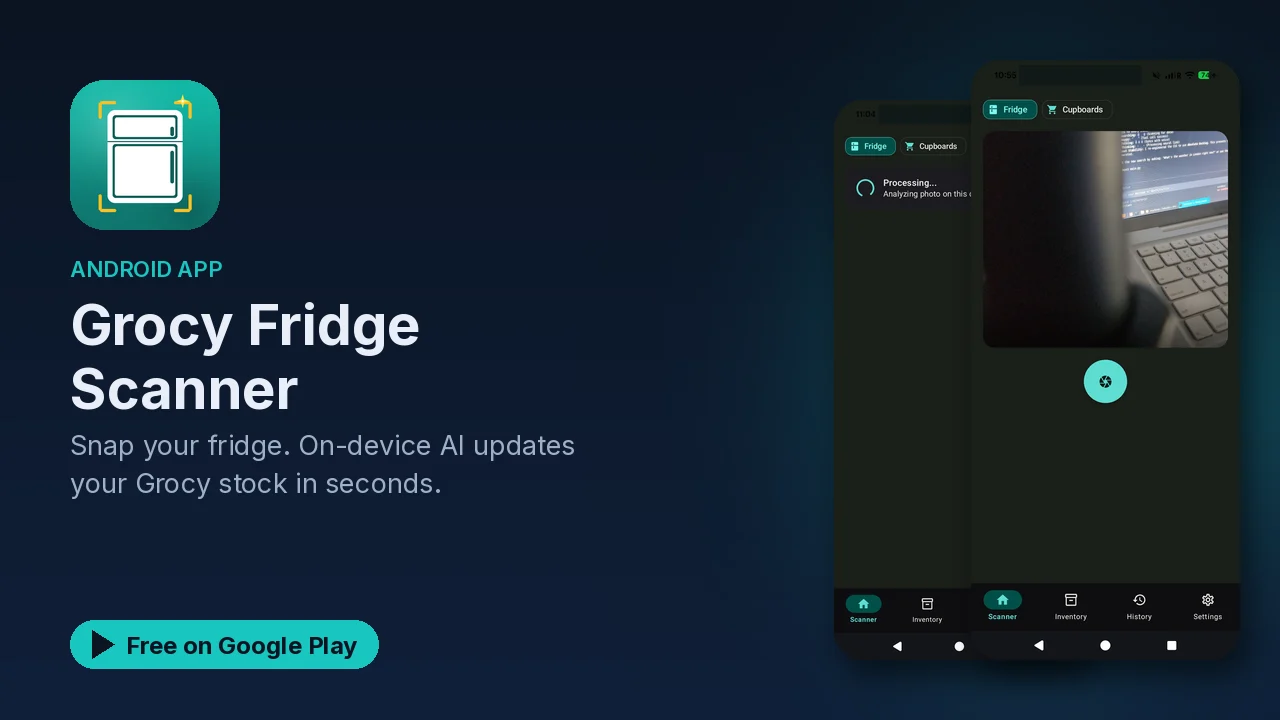
Grocy Fridge Scanner goes after that manual step. You take a photo of your fridge or pantry, an AI model running on your phone identifies what is there, and the app updates your Grocy stock.
What it does
- Photo scanning. Snap the fridge or pantry, and the on-device model identifies the items in the picture.
- Automatic counting. Stock levels are counted from the photo instead of typed in.
- Expiration tracking. The app tracks expiration dates so you know what needs using first.
- Direct Grocy integration. Updates go straight into your Grocy instance, with real-time inventory sync.
- Shopping lists. It can generate a shopping list from what you have and what you are missing.
- Less waste. Knowing what is about to expire is the point, and the listing frames the app around reducing food waste.
How it fits into a Grocy setup
The app sits between your kitchen and the Grocy instance you already run. Instead of opening Grocy and adjusting each product, you take a photo and let the scanner do the identification and counting, then the stock in Grocy is updated for you. The listing's promise is that no manual entry is needed for those updates.
That changes the habit you need to keep the system accurate. Taking a quick photo after a shopping trip, or whenever you open the pantry to plan a meal, is a much smaller ask than typing in every item. A system that is easier to keep up is one that stays accurate, and an accurate Grocy is what makes the expiration tracking and shopping lists worth having.
Who the listing has in mind
The listing names four groups: Grocy users who want automation, anyone tired of manual inventory tracking, families managing household supplies, and minimalists who want to reduce waste. The common thread is that you want the benefits of an inventory without the chore of maintaining one.
Privacy
If you self-host Grocy, there is a good chance you chose it partly to keep household data off someone else's servers. The scanner keeps to the same idea. According to the listing:
- All processing happens on your device.
- Photos are not uploaded to the cloud.
- Your grocery data stays local.
- No account is required.
Because identification runs on the phone, the photo of the inside of your fridge does not need to go anywhere except into the model on your own device, and the resulting stock changes go to your own Grocy server.
Good to know
- Price: free to download, with an optional premium upgrade mentioned in the listing.
- Ads: the app contains ads.
- Category: Food and Drink, rated Everyone.
- You need Grocy: the app updates an existing Grocy inventory, so it assumes you already run Grocy or plan to.
- On-device AI: identification runs locally rather than through a cloud service.
Is it for you?
- You run Grocy and your stock levels are out of date more often than not.
- You want expiration dates tracked without logging every item by hand.
- You manage supplies for a household and want a shopping list built from what is actually there.
- You prefer that photos of your kitchen stay on your phone.