NutriSnap: a calorie tracker that scans meals with offline AI
NutriSnap estimates calories and macros from a photo of your meal using on-device AI, with no account, no uploads and no internet needed to scan.
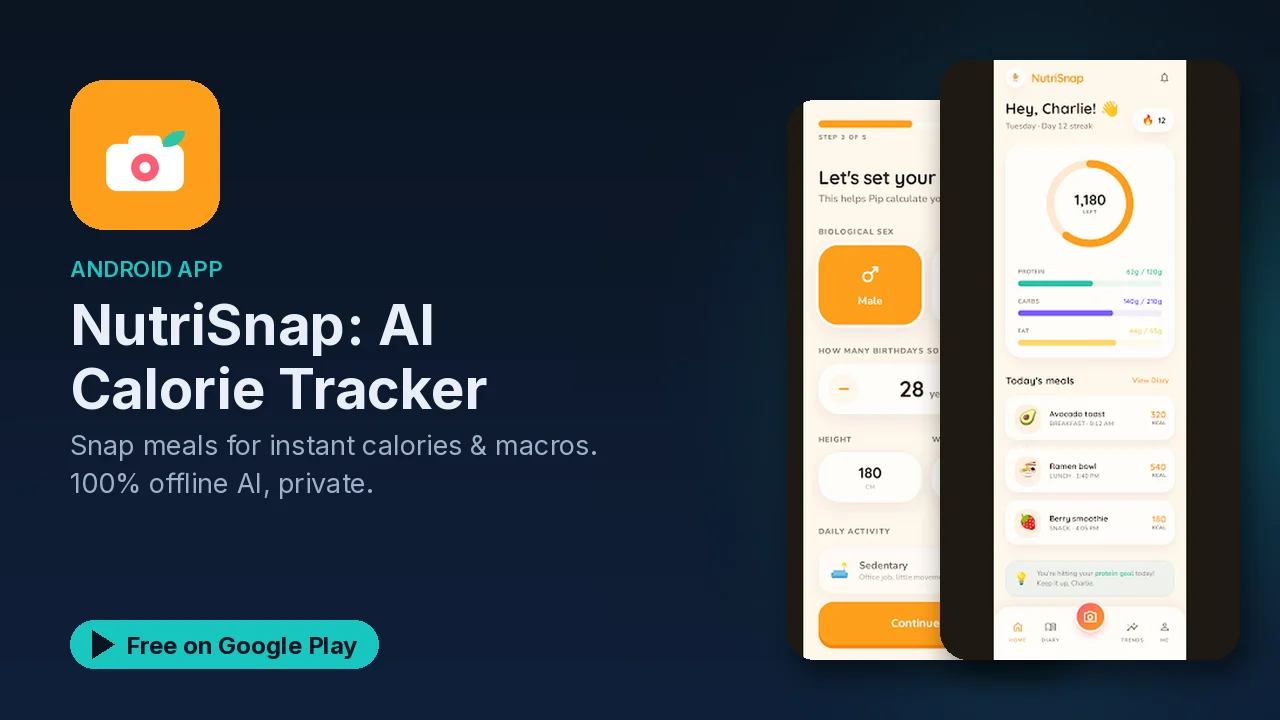
Most calorie trackers fail on the same step: logging. Typing every ingredient into a search box gets old by day three. NutriSnap tries to make that step a single photo. You point your camera at a meal and an AI model running on your own phone estimates the calories and macros, with no account, no cloud and no uploads.
What it does
- Photo food recognition. Snap a meal and the on-device AI identifies the food and estimates its nutrition. The listing says it works with Google's Gemma AI model.
- Calorie and macro tracking. Calories, protein, carbs and fat per meal, daily rings for calories, protein and hydration, plus weekly and monthly progress charts and weight trend tracking.
- Meal diary. Browse past entries and spot trends over time. Besides photos, you can log by manual entry, a description, or a barcode scan.
- Export. You can export your data at any time.
- Streaks and progress. Daily streak tracking, badges and achievements, and daily challenges.
- Your own goals. Set your calorie and macro targets, switch between metric and imperial, adjust portion sizes, and pick a light, dark or system theme.
- Pip. A friendly on-device AI companion that reacts to your progress and cheers you on.
Where your data goes
Privacy is the main design choice here, and the listing is specific about it:
- Every photo is processed locally on the phone.
- No internet connection is required for scans.
- No images are uploaded anywhere.
- Your health data stays on your phone.
That matters for a food log, which is a surprisingly personal record. With NutriSnap, the pictures of your meals and the history built from them live on the device, and the export option means you can still take your data with you.
How to get good results
The AI is doing an estimate from a picture, so a few habits help:
- Use the portion size adjustment when the photo does not show how much you actually ate.
- Fall back to the barcode scan for packaged food, or a manual entry when you know the exact numbers.
- Set your own calorie and macro goals first, so the daily rings mean something for you.
- Check the weekly and monthly charts rather than judging any single meal.
Good to know
- NutriSnap is free to download and contains ads.
- Core tracking and the meal diary are free. NutriSnap Premium unlocks unlimited AI scans and removes ads, so the free version limits AI scans.
- A device with 6 GB or more of RAM is recommended for smooth AI performance. On phones with less memory, scanning may feel slower.
- The nutrition numbers from a photo are AI estimates. Treat them as a guide, not a measurement, and talk to a doctor or dietitian for medical or dietary advice.
- It is rated Everyone, in the Health and Fitness category.
Is it for you?
- You have given up on calorie apps because logging every meal took too long.
- You want your meal photos and health data to stay on your phone.
- You want calories plus protein, carbs and fat, with simple daily rings.
- You like streaks and small challenges to stay consistent.
- Your phone has around 6 GB of RAM or more.