Ollama AI Chat: use your Ollama server or offline models on Android
Ollama AI Chat connects Android to your own Ollama server or runs models like Gemma and Qwen fully on the phone, with optional browser sync.
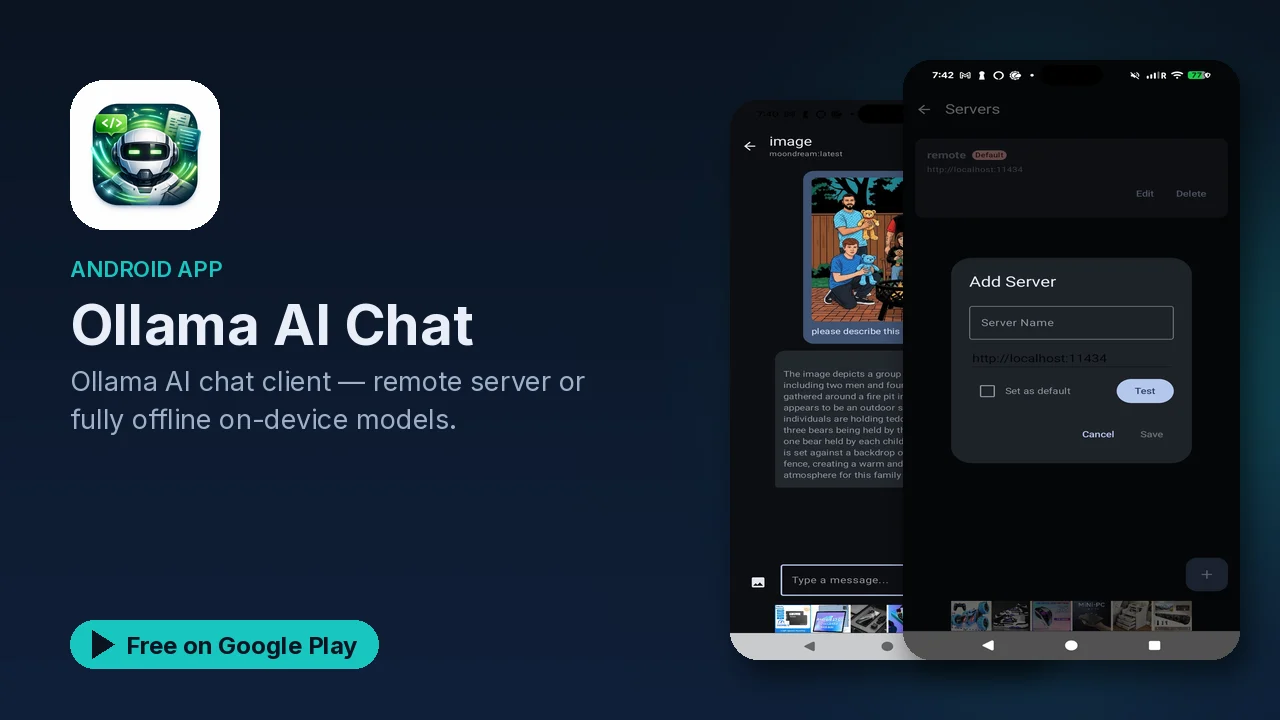
Running a language model at home is a common homelab project now. Ollama makes it straightforward to host models on your own machine, but you still need a decent way to talk to that server when you are not sitting at your desk. Ollama AI Chat is an Android client for exactly that, and it adds a second mode: running smaller models directly on the phone, with no server at all.
Two ways to run a model
Remote Ollama. Point the app at your home or work Ollama server and you get access to whatever models it hosts. You can add multiple servers, switch models per conversation, and watch responses stream in real time.
On-device. The app can also run models locally through Google's LiteRT-LM runtime. The listing names Gemma 4, Gemma 3, Qwen 3, Qwen 2.5, DeepSeek R1 Distill and Phi-4 Mini, ranging from about 300 MB to about 4 GB depending on capability. You download a model once, and after that chatting works fully offline, with zero network traffic for chat content.
That split is practical. When you are on your home network, the big models on your server are available. When you are somewhere without a connection, a smaller model on the phone still works.
What it does
- Streaming chat for both remote and on-device models, with history saved locally.
- Thread organization: pin, archive and label conversations; export or share a whole thread as Markdown.
- Message tools: copy, share, delete, edit and resend, regenerate, and stop a response mid-stream while keeping what was already written.
- Search inside a conversation or across all of them, jumping straight to the message.
- Images for vision-capable remote models, compressed automatically before upload.
- Voice: speech-to-text input and read-aloud replies.
- Model control per thread: temperature, top_p, top_k, context window and seed, plus token speed and response time under each reply and full model details (parameters, quantization, template, license).
Web Chat Sync
The newest feature lets you keep chatting from a computer without installing anything on it. You turn on Web Sync in the app's settings and sign in with Google or an email and password. Then you open the web chat page in any desktop or mobile browser, sign in with the same account, and your threads appear.
The interesting part is where the work happens. When you type in the browser, your Android phone receives the message, runs the inference (against your Ollama server or on-device), and streams the answer back to the browser. If the phone is offline, messages queue in the browser and are sent once it reconnects. A presence indicator shows when the phone is online, and the model selector only lists models you have actually installed.
Privacy
Conversation history is stored locally on the device in a Room database. On-device inference sends no chat content over the network. If you turn on Web Sync, threads and messages sync to Firebase Realtime Database under your own account, secured by Firebase Auth, so that part does go through a cloud service. The listing also states there is no third-party advertising data collection for chat content.
Good to know
- Price: free to download. The app contains ads, and the Play listing notes in-app purchases.
- Requirements: Android 7.0 (API 24) or higher.
- Connection: remote Ollama and Web Chat Sync need an internet connection; on-device models work offline after the download.
- Storage: on-device models take roughly 300 MB to 4 GB each, so check your free space first.
- Open source: released under the MIT license.
Is it for you?
- You run an Ollama server and want a proper phone client for it.
- You want a model that still works on the phone with no connection.
- You compare models and care about settings like temperature, context window and token speed.
- You want to continue phone conversations from a browser without installing a desktop app.