PixelDream: generate AI images offline, entirely on your phone
PixelDream turns a short description into an image using AI models that run on your phone. No account, no uploads, no internet after setup.
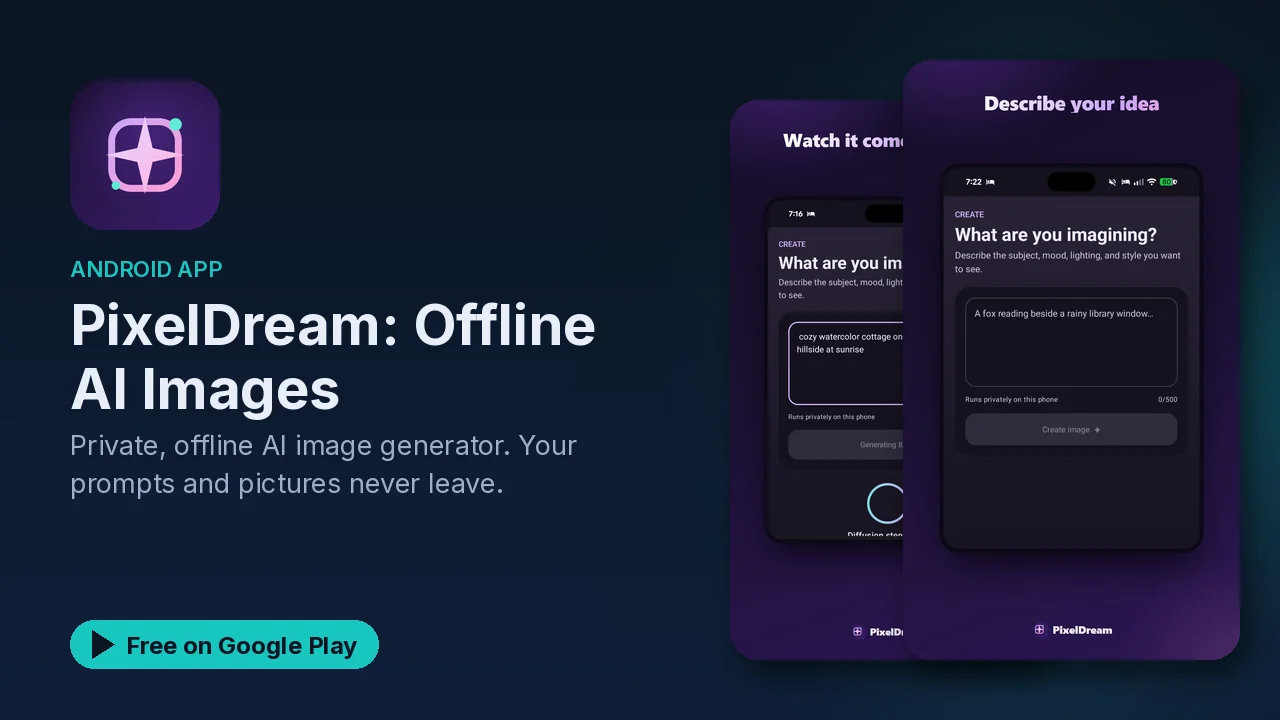
Most AI image generators work the same way: you type a prompt, it goes to a server, and a picture comes back. That means an account, a connection, and your prompts sitting on somebody else's machine. PixelDream takes the other route. The models run on your phone, so once setup is done you can create images with no Wi-Fi, no mobile data and no account.
What it does
- Text to image, on the device. Describe what you are imagining, tap Create, and a local image model renders it using your phone's own hardware.
- Optional prompt enhancement. An on-device AI can expand a short idea into a richer prompt before rendering, so you do not need prompt-engineering experience. You can switch this off.
- Works anywhere. After the one-time setup download, generation needs no network, which the listing pitches for planes and off-grid use.
- A private local gallery. Every image is saved on the device, where you can revisit, export or share it when you choose.
- Quality and size controls. Pick generation quality and image size to trade detail against speed.
- Safety checks. On-device checks run before and after prompt enhancement to steer away from harmful content, and there is an in-app report option.
How it works
The listing breaks it into three steps:
- Describe your idea in a sentence or two.
- PixelDream optionally expands it into a fuller visual prompt, then a local diffusion model renders the image on your phone.
- The finished image lands in your private gallery, ready to view, export or share.
The prompt expansion is the part that makes it approachable. A one-line idea is often too thin for a diffusion model to do much with, and the on-device language model fills in the visual detail for you before the image model runs.
What your phone needs
Running image models locally is demanding, and the listing is specific about hardware. Check this before you install:
| Requirement | Minimum | Recommended |
|---|---|---|
| Android version | Android 10 (API 29) | Android 13 or newer |
| RAM | 6 GB | 8 GB or more |
| Free storage | 5 GB | 8 GB or more |
| Processor | 64-bit ARM (arm64-v8a), octa-core |
The models total roughly 4.1 GB and download once over Wi-Fi during setup. The listing notes that older or lower-spec devices may run slowly or may not be supported.
Privacy
Image generation runs entirely on the device, and nothing about what you type or create is uploaded as part of making an image. Your prompts and pictures stay on the phone unless you choose to share them.
The listing is also clear about the exceptions: some diagnostics and the optional in-app feedback and bug-report tool use the network. Image generation itself does not.
Good to know
- Price: free to download, with optional ads and an optional ad-free upgrade (an in-app purchase).
- Content filtering: the on-device checks try to steer prompts and results away from harmful content, but the listing states plainly that no filter is perfect. Use it responsibly and report anything that slips through.
- Problems: bugs can be reported from Settings, then Report a Problem.
- Setup download: plan for a 4.1 GB download on Wi-Fi before first use.
Is it for you?
- You want to make AI images without an account or a subscription service.
- You want your prompts and images to stay on your own phone.
- You want something that works on a plane or with no signal.
- Your phone meets the RAM, storage and processor requirements above.