ScamRadar: check suspicious texts, emails and links on your phone
ScamRadar uses on-device AI to judge whether a text, email, voicemail or link looks like a scam, and explains the red flags.
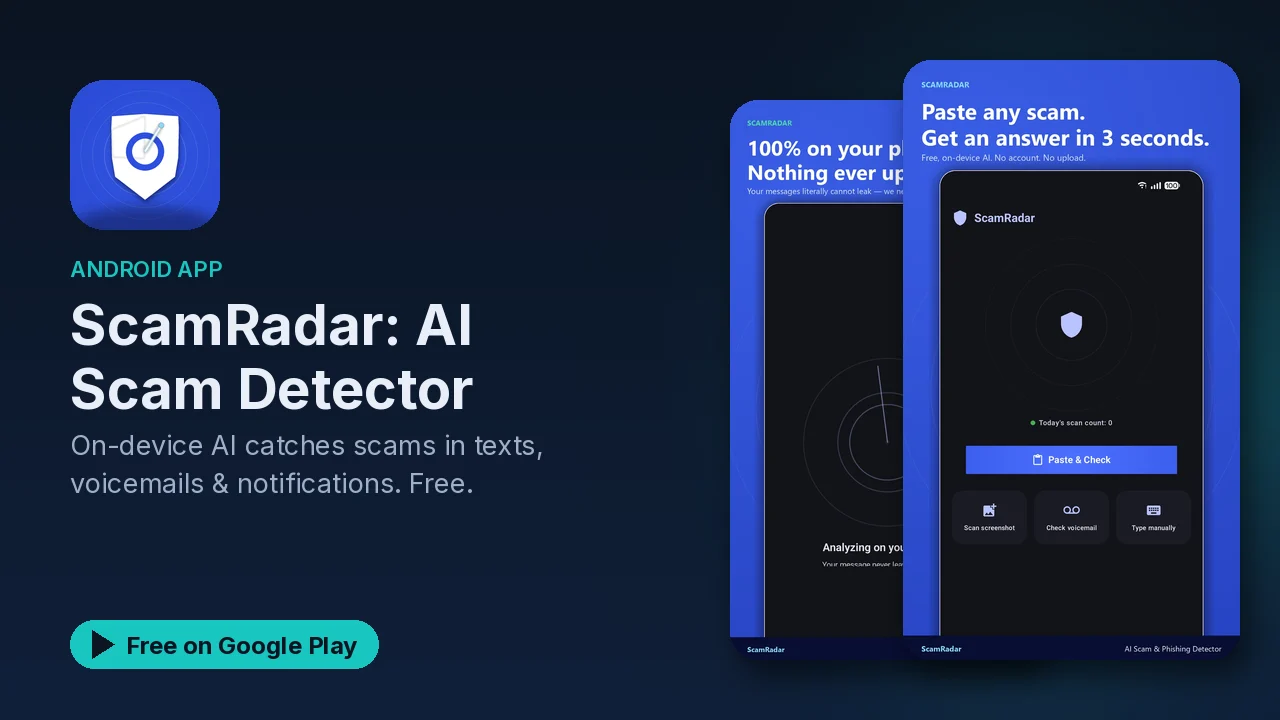
A text says your package is held, a voicemail sounds like a relative in trouble, an email wants you to confirm a payment. Most people know to be suspicious; the hard part is deciding in the moment, before you click or reply. ScamRadar is built to give you a quick second opinion. You paste or share the suspicious thing, an AI model on your phone analyzes it, and you get a verdict with the reasons spelled out.
It is a second opinion, not a guarantee. A verdict helps you slow down and look at the red flags; the decision to trust a message is still yours.
What it checks
- Text Scan. Paste a message and get one of three verdicts (Looks Safe, Suspicious, Likely Scam) with a confidence score and the red flags highlighted.
- Email screenshots. Share a screenshot of a questionable email; text recognition runs it through the same classifier.
- Voicemails. Import or record one, and on-device speech recognition looks for signs of AI voice cloning.
- Links. The URL scanner opens a suspicious link in a hardened view and runs text recognition plus Safe Browsing. The Pre-Click Guard can intercept link taps and show the verdict before your browser opens.
- Clipboard heads-up. Copy a sketchy link or a money phrase like "gift card", and a one-tap "Check this?" prompt appears.
Live Shield
Live Shield scans incoming notifications on the device from apps including Messages, WhatsApp, Signal, Telegram, Gmail, Outlook, Instagram and Messenger, and shows a discreet alert when it flags a scam. It is off by default, and you choose which apps it watches.
If you already clicked or paid
This is where ScamRadar goes beyond detection:
- Recovery Wizard. A step-by-step checklist matched to the scam type, which you can leave and resume later.
- Authority reports. Pre-filled links to the right place to report it for your region, such as the FTC, IC3, BBB, Action Fraud in the UK, Scamwatch in Australia, CAFC in Canada, and 7726.
- Evidence (Premium). An incident report PDF and an evidence ZIP for bank disputes, police reports and insurance claims.
For family members
Care Mode is designed for someone who needs a simpler phone experience: text of 24 point or larger, a single-button flow, spoken verdicts and a "Call my family" button. With the Family plan, Trusted Contact Verification lets relatives send signed "It's really me" links to prove a message is genuine, aimed at voice-cloning impersonation, and a weekly digest summarizes the week's scans without sending message content off the devices. Anyone can share a verdict card to warn friends by SMS, WhatsApp or group chat.
Privacy
Analysis runs on the device using the Gemma 4 model, and the listing states that scanned content is never sent anywhere. No account is needed to scan. Scan history holds your last 50 scans, stays on the device, can be deleted, and is never synced. Analytics are anonymous button taps, with no message content.
Permissions are scoped: notifications for alerts, notification access only for Live Shield, the microphone only for recording voicemails, storage only when you pick a file, and internet for the optional AI model and family features. The listing says it never requests SMS, contacts, call log or accessibility permissions.
Good to know
- Free core: text, screenshot, voicemail and URL scanning, Live Shield, the Scam Library, and Care Mode are free.
- Premium (in-app purchase): adds the incident PDF, Evidence Locker, unlimited Shield coverage and no ads.
- Family (subscription): extends Premium to up to 8 members, plus the weekly digest and Trusted Contact Verification.
- Ads: the free version contains ads.
- Not a guarantee: treat every verdict as advice, and verify through a channel you trust when money or accounts are involved.
Is it for you?
- You get texts, emails or calls and are not always sure they are real.
- You help an older relative stay safe on their phone.
- You want scam checks that do not send your messages to a server.
- You want a clear checklist if something already went wrong.