TrailSage: an offline GPS audio tour guide for your road trips
TrailSage turns a drive into a guided audio tour, with offline maps and AI commentary generated on your phone. No accounts, no cloud.
Long drives have a way of going quiet in the wrong places. The scenery gets interesting right where the cell signal disappears, and most navigation and tour apps stop being useful at exactly that point. TrailSage is built around the opposite assumption: that you will be somewhere without coverage, and the app should keep working anyway.
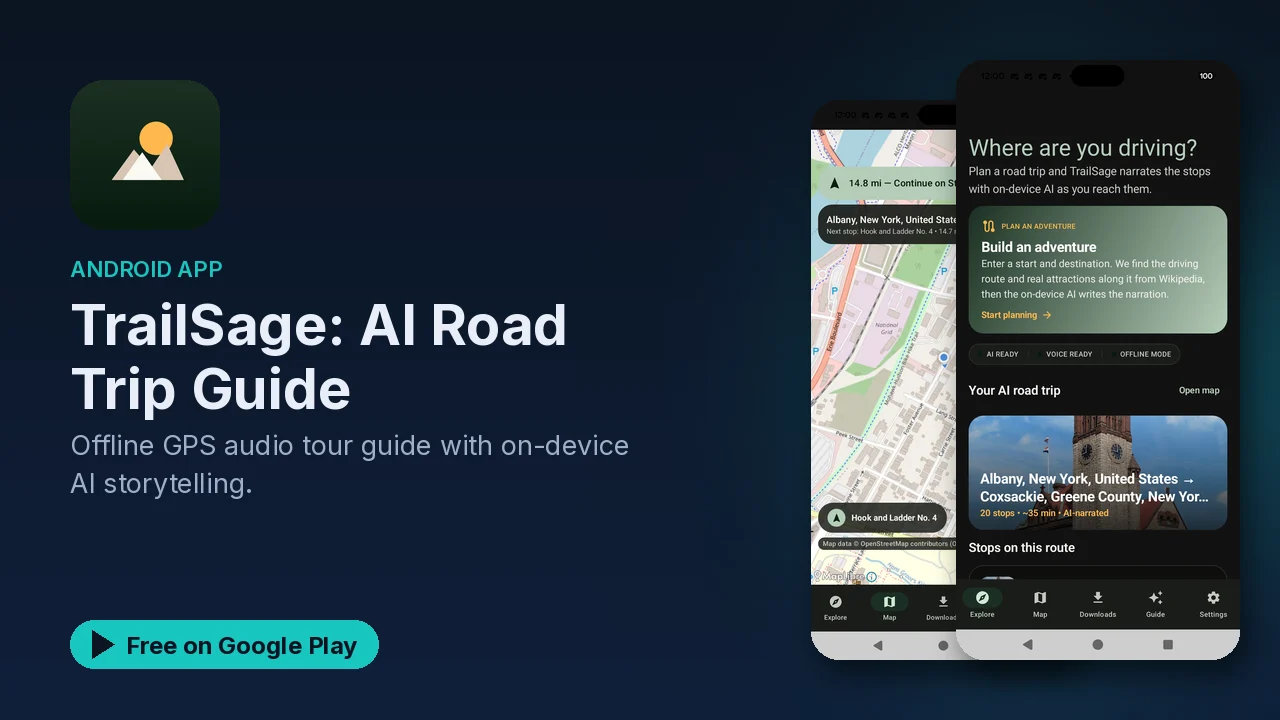
It combines offline GPS navigation with an audio tour guide. The commentary is generated by an AI model that runs on the phone itself, so the stories about the places along your route do not depend on a connection or an account.
What it does
- Offline maps and navigation. You download maps ahead of time, then get turn-by-turn directions and live location tracking without cell service.
- AI audio tours. An on-device model generates commentary about points of interest along your route, including historical facts and local stories.
- A choice of voices. The narration comes with multiple voice options.
- Hands-off playback. Tours can start automatically when you drive, can be paused and resumed, and the narration adjusts to your speed.
- Trip planning. You can save favorite routes, customize the stops on a tour, share routes with friends, and import GPX files.
- A driving-friendly interface. The layout is clean, with large buttons and a night mode, and it runs on both phones and tablets.
How a trip with it works
The workflow follows from the feature list. Before you leave, while you still have a connection, you download the maps for the area you are heading into. From there the app does not need the internet: navigation, location tracking and the tour commentary all run on the device.
If you already have a route planned in another tool, the GPX import means you do not have to rebuild it. You can adjust which stops the tour covers, save the route for later, or share it with whoever you are travelling with.
Once you start driving, the auto-start option means the tour can begin without you touching the phone, and the speed-adjusted narration is meant to keep the commentary in step with how fast you are moving. If you stop for fuel or food, you pause and pick it back up later.
Why on-device AI matters here
Generating the tour commentary on the phone is what lets the audio guide work in the same dead zones as the offline maps. A cloud-based guide would go silent the moment the signal dropped. With TrailSage, the model is already on the device, so the stories keep coming.
Privacy
The listing is direct about this. All of the AI processing happens on the device. There is no cloud component and no account to create. Your routes stay on your phone, and the app states that it does no tracking and no data uploads.
For a travel app, that is a meaningful difference. Your route history is a fairly detailed record of where you go, and here it is not leaving the phone.
Good to know
- Price: free to download, with an optional premium upgrade mentioned in the listing.
- Ads: the app contains ads.
- Category: Travel and Local, rated Everyone.
- Battery: the app is described as battery-efficient, which matters on a long day of navigation.
- Prepare before you go: offline maps have to be downloaded before you lose service, so do that at home or at your last stop with a connection.
Is it for you?
- You take road trips through areas where cell coverage is patchy or missing.
- You want to learn something about the places you are driving past, without reading a screen.
- You prefer an app that works without an account and keeps your routes on your phone.
- You already plan routes elsewhere and want to bring them in as GPX files.
- You want a night mode and large buttons for use in the car.