Snore & sleep talk recorder for Android
Find out what happens
after you fall asleep.
Nightsay listens through the night, keeps short clips of snoring, sleep talking, coughs and loud sounds, and shows you a simple morning report. Sound detection runs on your phone. Your recordings stay there too.
- No account
- Audio stays on your phone
- Free to use
Simple at night. Useful in the morning.
Records all night
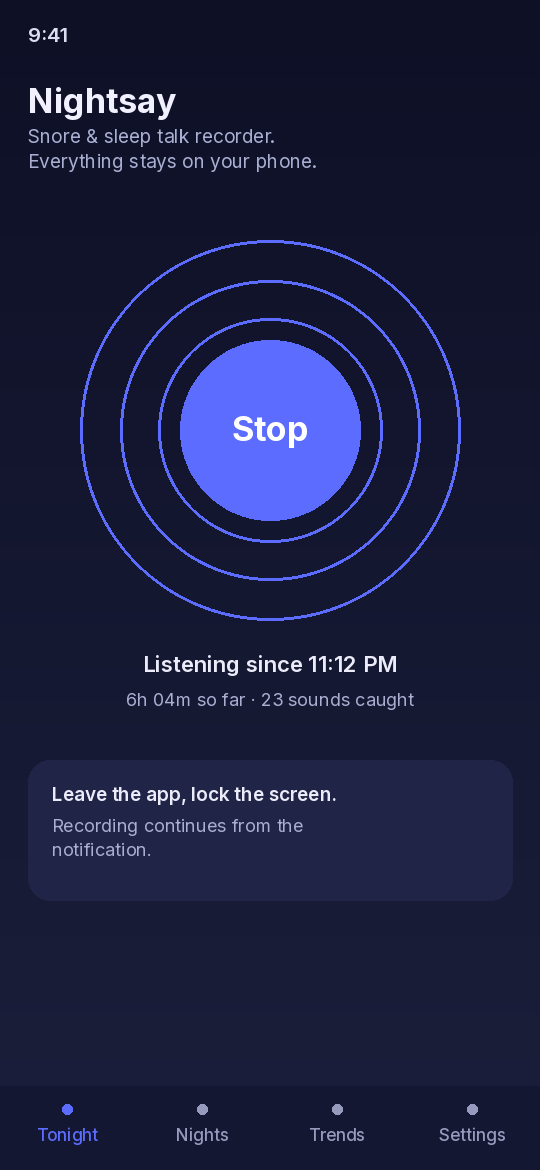
Tap Start, lock your phone and put it on the nightstand. Nightsay runs as a foreground service with a notification, so it keeps listening while the screen is off.
Keeps only the moments
Instead of saving eight hours of silence, Nightsay saves short clips when it hears something: snoring, talking, coughs and other loud sounds.
On-device sound detection
Each sound is sorted by Google's YAMNet audio model running right on your phone. Nothing is uploaded to be analyzed.
Morning report
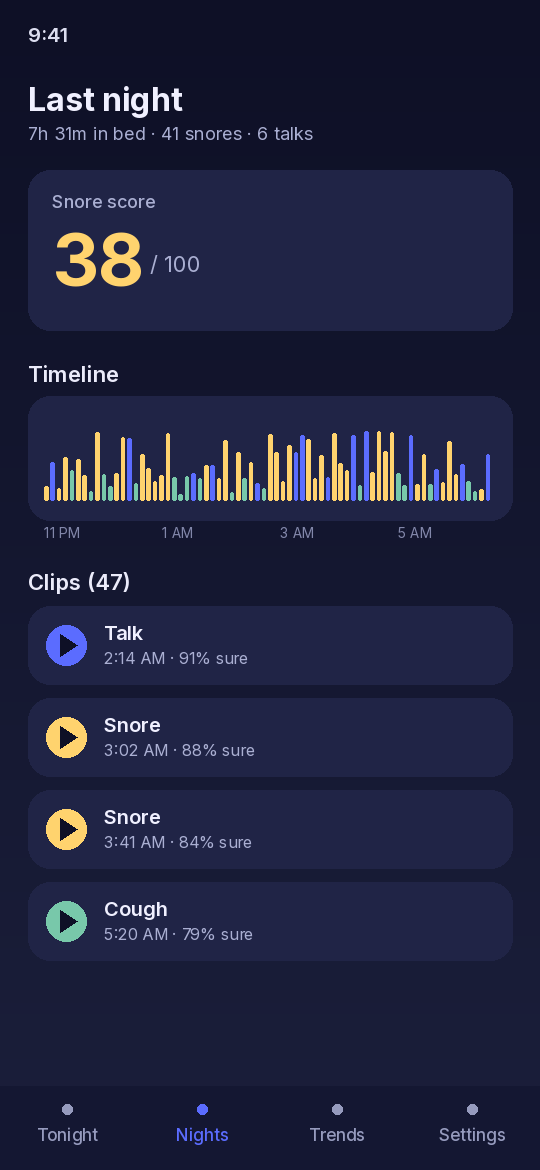
A timeline of the night, your Sleep Score and Snore Score, and every clip ready to play. Delete a single clip or a whole night whenever you like.
Battery guide
Some phones stop apps overnight. A short in-app guide walks you through the battery settings for your phone so recording lasts until morning.
Private by design
No sign-up and no cloud. Your clips live in the app's private storage and are left out of device backups.
Wear OS companion
Start and stop recording from your Wear OS watch or its tile, see live status at a glance, and optionally add your watch's overnight heart rate and movement to your morning report.
New in version 1.1
On-device AI summaries
A short, friendly summary of your night written by an AI model that runs on your phone: Google's Gemini Nano where your phone offers it, or a one-time download of the open Qwen2.5 model on phones with enough memory. Other phones get rule-based Smart insights. Your audio is never sent to a model.
Snore Score
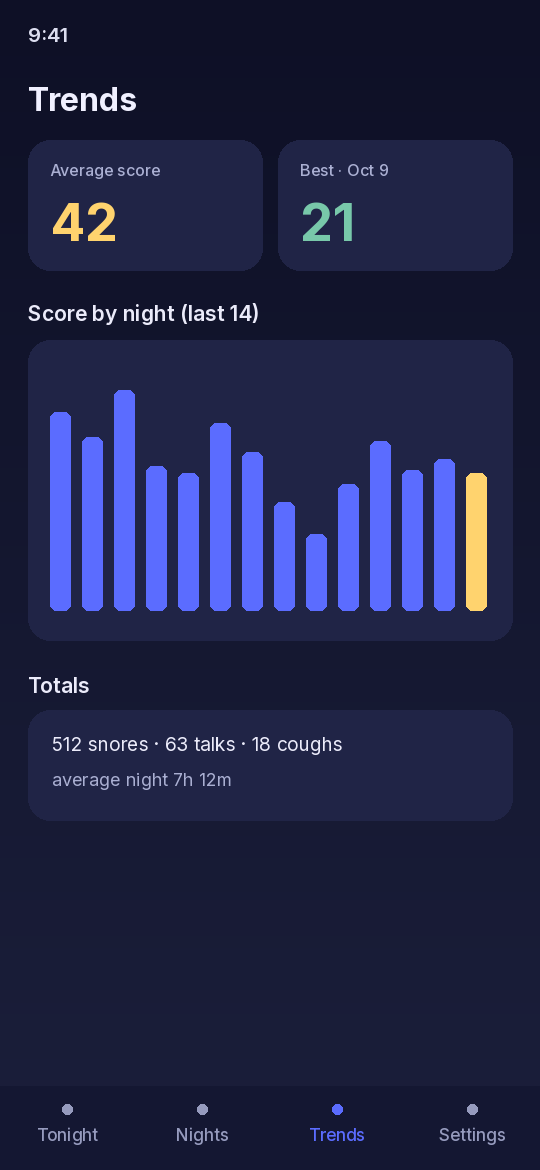
A separate 0–100 Snore Score (less snoring scores higher) next to your Sleep Score, in your night report, history and trends.
Home-screen widgets
See last night's score and Doze on your home screen, and start or stop listening right from the widget.
Share cards
Turn a night or a week into an image card with your scores, time in bed and counts, and share it with any app. No audio on it.
Backup and restore
Export all your nights as one file to your phone, Google Drive or any cloud app you pick, and restore them later. The file goes only where you save it.
Meet Doze
A friendly animated moon who reacts to your nights. Tap Doze and see what happens. You can switch Doze off in Settings.
Tags and snore experiments
Tag nights with things like coffee, drinks or a workout and see which patterns line up with your Snore Score, or try a change for 3 nights and compare. Patterns, not causes.
Weekly highlight reel
A short video of the week's funniest sleep talk, made on your phone. You see a privacy reminder first, and it's only shared if you tap Share.
Streaks, badges and reminders
Build a streak, earn badges with a little celebration from Doze, and get an optional bedtime reminder.
Health Connect (optional)
Off by default. Turn it on and each night you record is saved to Health Connect as a sleep session (start and end time). Nightsay reads nothing from it.
AI summaries and insights are generated automatically and can be wrong. For wellness and fun, not medical advice.
A look inside
See it in action
Questions
Do my recordings get uploaded anywhere?
No. Recording, sound detection and storage all happen on your phone. A clip, reel, share card or backup file only leaves your phone if you choose to share or save it yourself, using Android's share menu or file picker.
Where does the AI run?
On your phone. Nightsay uses Google's Gemini Nano when your phone's Android system offers it. Otherwise, on phones with enough memory, you can download the open Qwen2.5 1.5B model once from Hugging Face; after that it runs offline. Only your night's numbers go into the model, never audio or transcripts. AI text can be wrong and is for wellness and fun, not medical advice.
Do I need an account?
No. There is no sign-up and no login. Premium purchases are handled by Google Play and tied to your Google Play account.
Will it drain my battery?
Nightsay listens continuously, so we recommend keeping the phone plugged in overnight. The in-app battery guide helps with phones that stop background apps.
Can Nightsay tell me if I have a sleep problem?
No. Nightsay is for entertainment and wellness only. It is not a medical device and does not diagnose, treat or monitor any condition. If you are worried about your sleep or breathing, talk to a doctor.
How do I delete my data?
Delete a clip or a night inside the app, delete the AI model in Settings, or uninstall the app to remove everything on your phone. Details are on the data deletion page.
How do I cancel Premium?
Open Google Play, tap your profile, then Payments & subscriptions, then Subscriptions, and cancel Nightsay. See our Terms for details.
Support
Questions, bugs or feedback? Open an issue on GitHub and include your phone model and Android version if something isn't working. Issues are public, so please don't post personal information or recordings.