CrowdTransit: live bus and train stops with community reviews
CrowdTransit finds bus and train stops, shows real-time arrivals and alerts, and adds commuter reviews of stops and routes. No account needed.
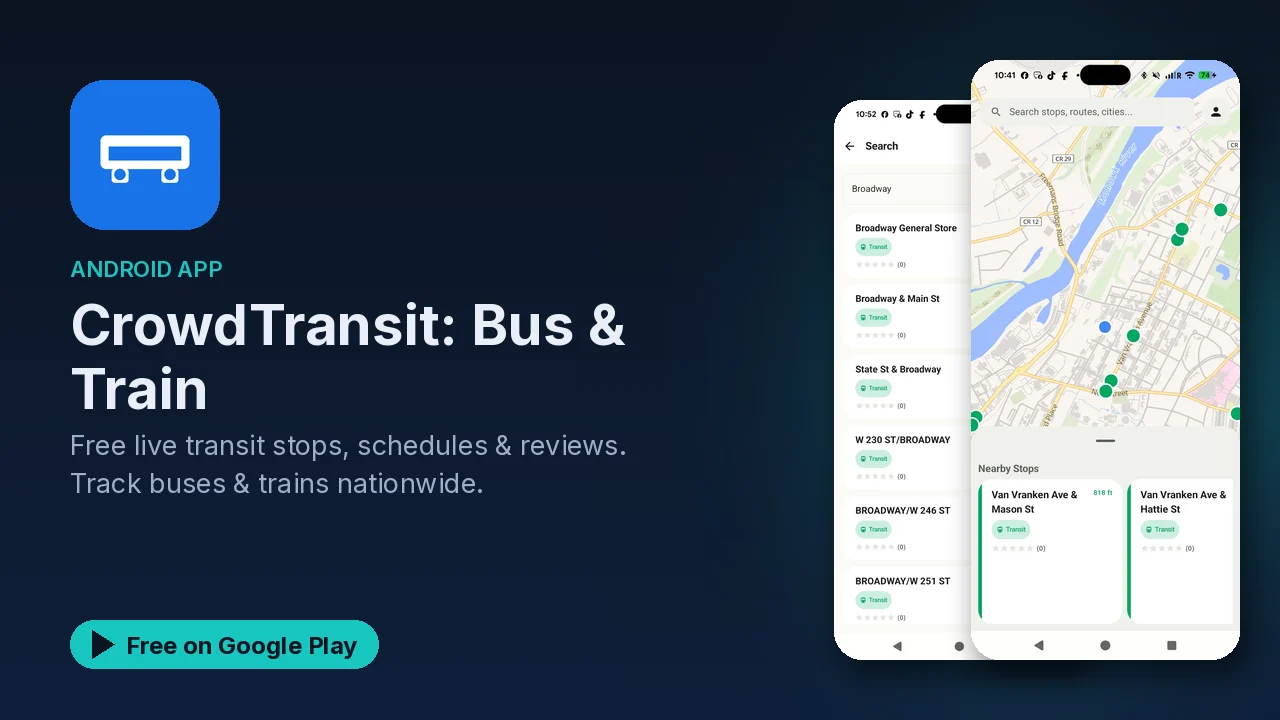
A transit schedule tells you when the bus should come. It does not tell you that the stop has no shelter, that the platform is hard to reach with a stroller, or that a route has been running late all week. CrowdTransit combines both: live transit data for bus and train stops, plus reviews from the people who actually ride them.
What it does
- Live transit data. Real-time bus and train tracking, upcoming arrivals at a stop, route information and maps, and service alerts and delays.
- Community reviews. Read reviews of stops and routes, rate your own experience, and see safety and accessibility ratings.
- Quick search. Find a stop by its stop number or by address, and save your favorite stops.
- Offline stop lists. Keep a list of stops for your area available without a connection.
- Nationwide coverage. The listing says it works in cities across the country, on urban and rural routes, with coverage that keeps expanding.
- No account. You can use it without signing up.
How it works
CrowdTransit is described as community-powered. The schedules and real-time information come from open data sources, and riders add the part official feeds leave out: reviews and ratings for the stops and routes they use. Coverage itself is partly community-contributed, which is how the listing explains its reach into rural routes as well as big cities.
That makes the app more useful the more people use it. Every rating you leave helps the next commuter decide which stop to walk to, or whether a route is worth the wait.
Getting set up for your commute
- Search for your usual stop by its number or the street address.
- Save it, and any other stops you use, as favorites.
- Check upcoming arrivals before you leave, and watch for service alerts or delays on your route.
- Save the offline stop list for your area, so you can still look up stops with a weak signal.
- After a ride, leave a quick rating so others know what to expect.
The ratings worth reading
Two kinds of rating stand out for planning:
- Safety ratings help when you are waiting somewhere late or in an unfamiliar area.
- Accessibility ratings help when you are traveling with a wheelchair, a stroller, heavy bags or anyone who cannot manage stairs.
Neither replaces official information from your transit agency, but both answer questions a timetable never will.
Good to know
- CrowdTransit is free to download, and the listing describes it as free with no subscriptions.
- Google Play's listing labels the app as containing ads and offering in-app purchases.
- No account is required.
- It is rated Teen, in the Maps and Navigation category.
- Coverage depends on available data and community contributions, so check that your area is covered.
Is it for you?
- You ride buses or trains and want live arrivals and delay alerts in one place.
- You care about how safe or accessible a stop is, not only when the bus comes.
- You like being able to rate stops and routes and help other riders.
- You want to look up stops without creating an account.