Owefolk: split shared expenses and settle up without the awkward part
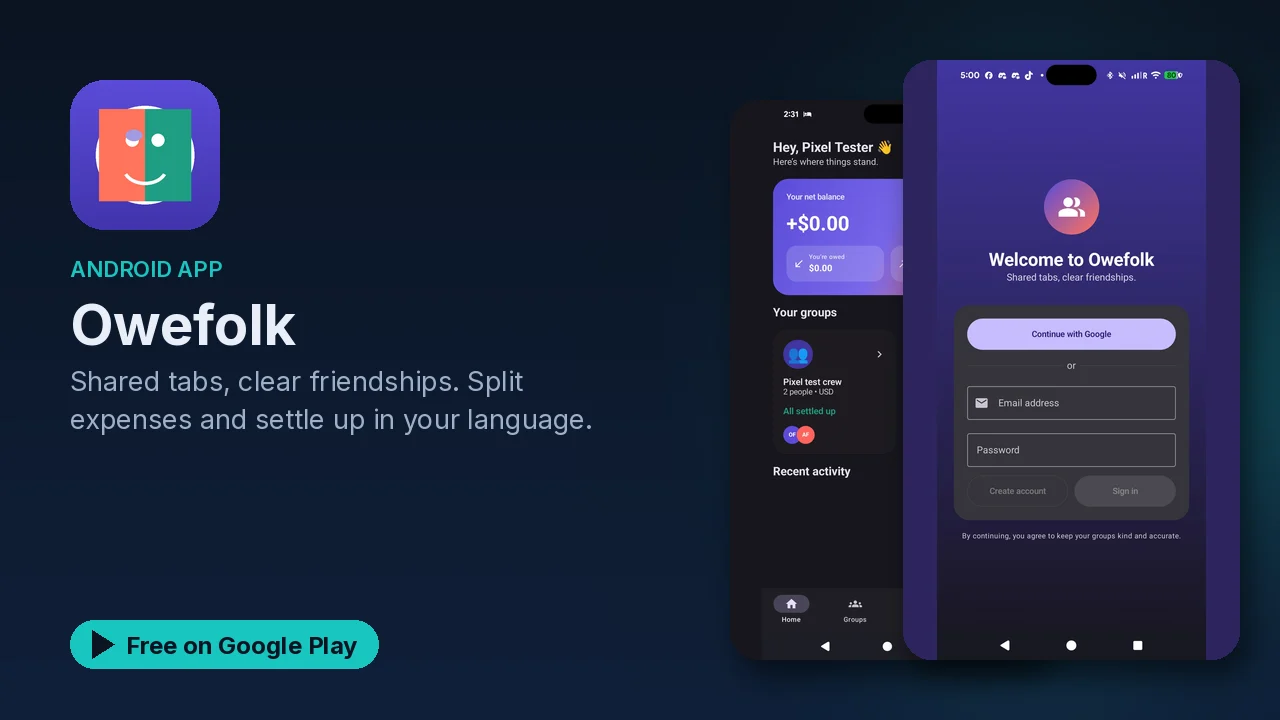
Owefolk splits group expenses by shares, amounts or percentages, scans receipts on-device, translates into 50+ languages and only counts confirmed payments.
Shared costs are easy to start and hard to finish. Someone covers dinner, someone else books the rental, a subscription gets split four ways, and a month later nobody is sure who owes what. Owefolk is built to keep that math clear, so the money question never turns into a friendship question.
What it does
- Clear balances. After you sign in you see your net balance, what you owe, who owes you, and which group each number comes from, down to the cent.
- Flexible splits. Split dinners, rent, trips and subscriptions by equal shares, exact amounts or custom percentages, and record who actually paid.
- On-device receipt scanning. Point the camera at a receipt and the app reads the merchant and total.
- On-device translation. Group names, expenses, balances and the activity feed in your language, chosen from 50+ languages.
- One-tap settling. When someone owes you, the app shows the exact amount and jumps to Venmo, Cash App, PayPal, Zelle or a custom payment link.
- Confirmed payments only. A payment counts only after the sender marks it sent and the recipient confirms it.
- Shared history. Everyone in a group sees the same activity history.
Why "only real money moves count" matters
A common weak spot in shared-expense tracking is the gap between "will pay" and "has paid". Owefolk closes it with a two-step rule. Opening a payment app does not count as paying. You mark a payment as sent only after you have really sent it, and the balance changes only when the person receiving it confirms. Combined with the shared activity history, that means both sides always see the same story.
Choosing a split
Not every cost is split evenly, and Owefolk does not assume it is:
| Split type | Good for |
|---|---|
| Equal shares | A group dinner where everyone ate about the same |
| Exact amounts | A bill where each person's items are known |
| Custom percentages | Rent or a shared plan where people pay different portions |
Whatever you pick, the expense is tracked against the person who actually paid, so the balances stay honest.
What stays on your phone
Two features that usually rely on outside services run on the device here:
- Receipt scanning uses on-device recognition, and the listing says your receipt photos never leave your phone.
- Translation happens on the device too, so no text is sent to a translation service.
Diagnostics are anonymous and can be switched off, and you can delete your account at any time. Note that the app does use an account: you sign in to see balances and share groups.
Getting started
- Sign in and pick your language during onboarding (you can change it later in settings).
- Create a group for the trip, the apartment or the dinner club.
- Add expenses as they happen, choosing how each one is split.
- When it is time to settle, use the payment shortcuts, mark the payment sent once it really is, and let the other person confirm.
Good to know
- Price: free to download.
- Ads and purchases: the Google Play listing marks it as containing ads and offering in-app purchases.
- Account: sign-in is required; account deletion is available any time.
- Category and rating: Finance, rated Everyone.
- Owefolk tracks who owes what. Money itself moves through the payment app you choose.
Is it for you?
- You split costs with roommates, a partner, a trip group or friends.
- You want splits by shares, exact amounts or percentages, not just "divide by four".
- You want receipts scanned and text translated without sending them to an outside service.
- You want balances to change only when a payment is actually confirmed.