Provision: on-device AI meal plans with real grocery prices
Provision builds a 7-day meal plan on your phone for your diet and budget, with an itemized grocery list priced from real store data.
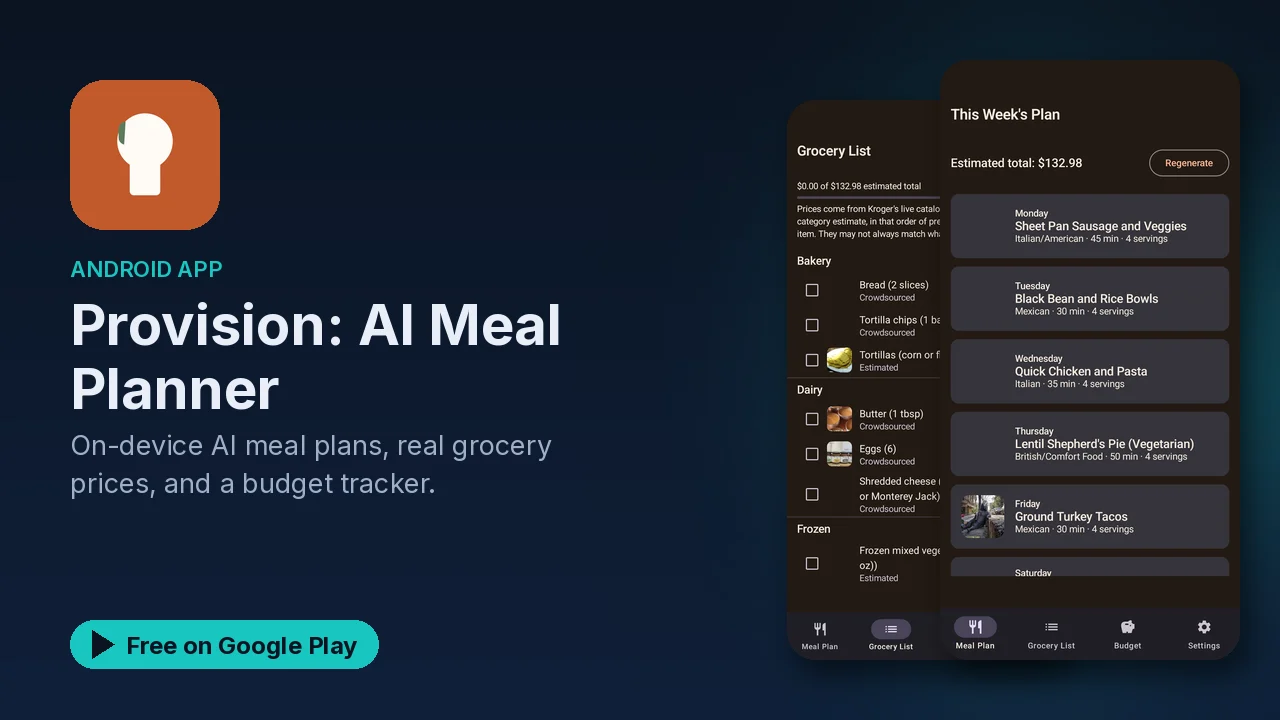
Meal planning tends to break down at the grocery store. A recipe app gives you a week of dinners, then the receipt comes in well over what you meant to spend. Provision ties the two together: it plans a week of meals within a weekly budget, then prices the grocery list using real store data instead of a flat guess.
What it does
- A full week, planned on your phone. A 7-day meal plan generated on the device, tailored to your dietary preference and weekly budget.
- Automatic grocery list. An itemized list built from the ingredients in your plan.
- Real prices. Live Kroger catalog prices where available, and crowdsourced real-world prices otherwise.
- Budget tracker. See where the week's spending goes, broken down by category.
- Cook mode. Step-by-step instructions for each recipe.
- Five languages. English, Spanish, French, German and Portuguese, with on-device translation of every generated recipe.
- Optional sync. Move your plan and preferences to a new phone.
How the budget works
You pick your preferred store from Kroger, Safeway, Walmart, Whole Foods or ALDI, then set a weekly budget. Provision keeps each generated plan within about $5 of that number, and if a plan comes in over, it regenerates automatically.
The prices come from two places: Kroger's public catalog where it has the item, and the free, community-run Open Prices database otherwise. Real shelf prices change and vary by location, so treat the total as a close estimate and check the receipt against the budget tracker after you shop.
A weekly routine
- Choose your store and your dietary preference.
- Set a weekly budget.
- Generate the 7-day plan, and regenerate if you want different meals.
- Shop from the itemized grocery list.
- Cook with step-by-step cook mode.
- Watch the budget tracker to see which categories take most of the money.
Privacy
The meal planner runs on your phone using Google's Gemma on-device model. According to the listing:
- No account is required, and there is no server round-trip to make a plan.
- Nothing about what you eat leaves your phone unless you turn on sync.
- Price lookups go only to Kroger's public service and the Open Prices database, never to an ad network or data broker.
- Sync, if you enable it, stores only your own preferences and plan under an anonymous account.
Good to know
- Provision is free to use with no subscription.
- It shows a small banner ad on the grocery list screen, and an occasional ad may appear when you manually regenerate a plan.
- Live catalog prices are only available where Kroger has the item; other prices are crowdsourced.
- The plan aims for your budget, but your actual spend depends on your store, location and what you add.
- It is rated Everyone, in the Food and Drink category.
Is it for you?
- You want a week of meals planned around a set grocery budget.
- You shop at Kroger, Safeway, Walmart, Whole Foods or ALDI.
- You like a grocery list that builds itself from the plan.
- You would rather not create an account or send your eating habits to a server.