AuraCast Weather: your forecast as an on-device spoken briefing
AuraCast Weather turns your forecast into a spoken briefing made on your phone, with live radar, alerts, widgets and offline translation.
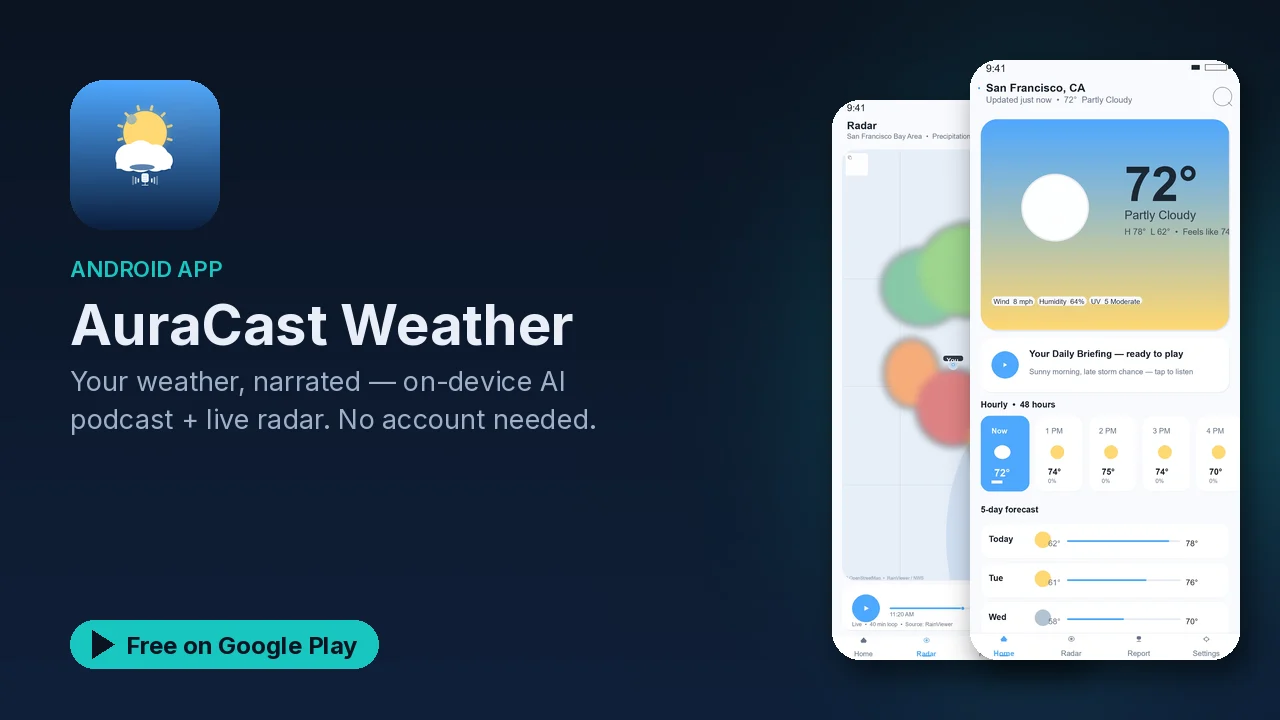
Checking the weather usually means reading a screen of icons and numbers while you are trying to get out the door. AuraCast Weather adds another option: a short spoken briefing, written by an AI model on your phone and read aloud in a natural voice, so you can hear the day ahead while you get ready.
What it does
- Forecasts. Current conditions, a 48-hour hourly forecast and a 5-day forecast, using Open-Meteo and the National Weather Service, with animated weather icons.
- AI weather podcast. Gemma 4 runs on the device and writes the briefing, then a neural text-to-speech voice reads it aloud. You can pick and preview your favorite voice in Settings.
- Animated radar. A precipitation radar on a free OpenStreetMap base map, with play, pause and scrub over a 40-minute loop.
- Translation. On-device translation into 58 languages. The language models download once and then work offline.
- Alerts. Severe-weather alerts and daily briefing notifications.
- Everyday touches. Light and dark Material 3 themes, widgets, and support for phones and tablets.
How the briefing is made
The interesting part is where the AI runs. The app fetches the forecast numbers, then hands them to a local model on your phone, which turns them into a natural spoken report. According to the listing, there are no cloud AI calls for the report itself, and the AI report never leaves your device.
That means the briefing does not depend on a remote AI service, and nothing about your morning routine is sent to one. It does still need the internet for the forecast data and radar images.
A hands-free morning
- Pick a voice in Settings and preview it.
- Turn on the daily briefing notification.
- Add a widget to your home screen for a quick glance.
- Leave severe-weather alerts on.
- If you prefer another language, download its translation model once.
Privacy
The listing spells out the network use:
- The only network calls are for fetching the forecast and radar imagery.
- Crash diagnostics use an anonymous install ID.
- Ads follow Google's Advertising ID policies, with a consent prompt where required.
- No account is required.
Good to know
- AuraCast Weather is free to download and contains ads.
- No account is needed.
- The app is open source; the listing links to its code repository.
- The forecast sources include the National Weather Service, so some data is specific to the United States.
- It is rated Everyone, in the Weather category.
Is it for you?
- You would rather hear the forecast than read it.
- You want the AI part to run on your own phone, not in the cloud.
- You check the radar before heading out.
- You want severe-weather alerts and a home screen widget.
- You like apps that publish their source code.