Sticky Notes: Quick Widget, notes that live on your home screen
A lightweight Android app that puts colorful sticky notes on your home screen as widgets, with pinning, sharing and dark mode.
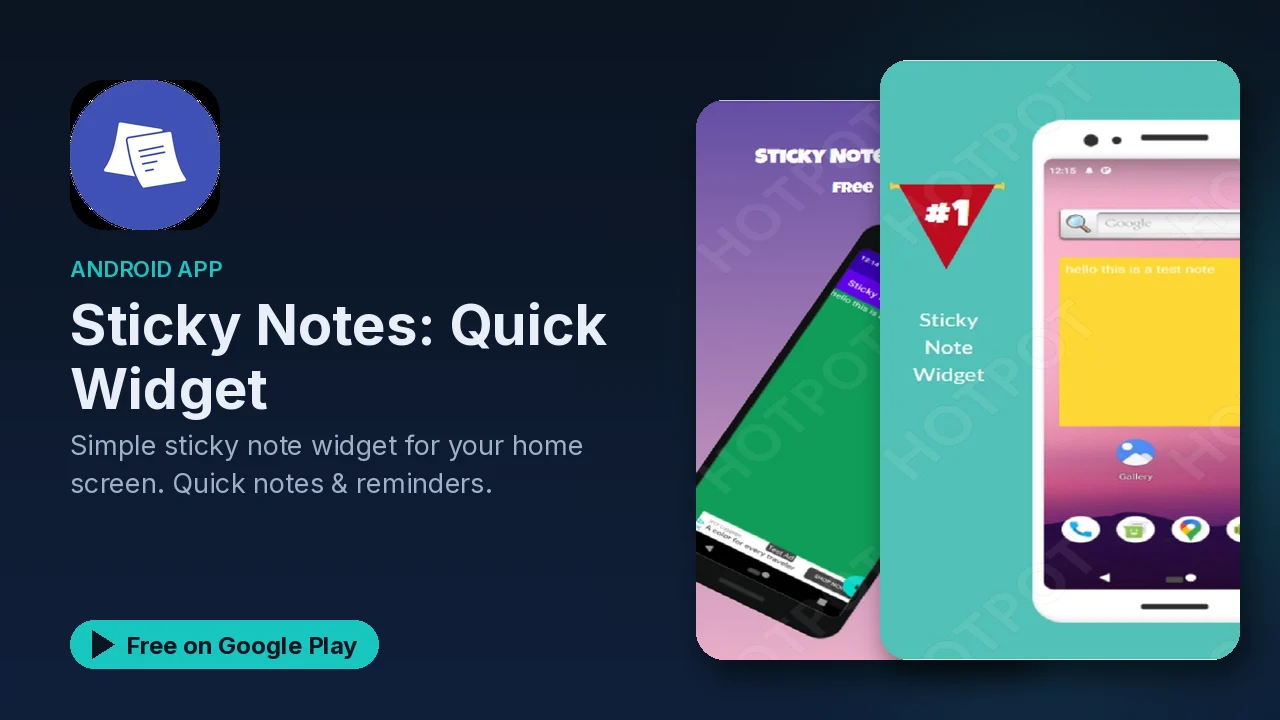
Most note apps are good at storing things and bad at reminding you they exist. A note saved three screens deep is a note you never read again. Sticky Notes: Quick Widget takes the opposite approach: the note sits on your home screen, in your face, the way a paper sticky note sits on a monitor. You see it every time you unlock your phone.
What it does
- Home screen widgets in multiple sizes, so a note can be a small square or a larger block.
- Colors and styles. Pick a color per note, change the text size, choose a note style, or use a transparent background so it blends with your wallpaper.
- Quick editing. Add a note in one tap and tap a widget to expand it.
- Pin and dismiss. Pin the notes that matter and swipe away the ones you are done with.
- Sharing. Send a note to someone else straight from the app.
- Dark mode and a simple Material Design interface.
How to use it well
A home screen note works best when it stays short. A few patterns that suit this style of app:
- One note per job. A shopping list in one color, today's to-do items in another, so you can tell them apart at a glance.
- Pin the permanent ones. A door code, a phone number or an address you keep looking up can stay pinned, while short-lived notes get swiped away.
- Size by importance. Give the note you need most often a larger widget, and keep the rest small.
- Clear it when it is done. A note that has outlived its job becomes wallpaper. Swipe it away so the ones left on screen still mean something.
The listing suggests quick reminders, shopping lists, to-do items, phone numbers and addresses, and motivational quotes as typical uses.
Customizing the look
Because the notes live on your home screen, how they look matters more than in a normal app. You can change each note's color, adjust the text size so a list stays readable in a small widget, and pick a transparent background if you want the text to float over your wallpaper instead of sitting on a colored square. Dark mode is supported for the app itself.
Good to know
- Price: free.
- Ads: Google Play lists the app as containing ads.
- In-app purchases: none are listed.
- Size and battery: the listing describes a small app size and minimal battery usage.
- Category and rating: Productivity, rated Everyone.
- Devices: the listing says it works on all Android devices.
Is it for you?
- You lose track of notes saved inside apps and want them on your home screen instead.
- You keep a running shopping list or to-do list and want to see it every time you unlock.
- You like to color-code things.